Upload & organize
Start a project and upload CSV or Excel. Keep the original while you work.

FROM DATA TO DECISIONS
Turn your business figures into a report that clarifies your next step.
One free analysis after email verification. Preview synthetic data without uploading your file.
✓ We do not use your file contents to train Mongez models.
✓ In-service calculations; external language assistance is optional
✓ Remove identifying customer data before uploading
✓ Account deletion follows retention and backup policies
Data protection and service limitations273 records · 5 Jan – 5 Apr 2026
Upload values-only CSV or Excel after removing personal data. For sales, identify date, product and amount columns; add cost for profit and order status for returns and pending orders. Available results depend on your columns and their meaning.
Shopify, WooCommerce, Salla and Zid exports use files and column mapping, not automatic synchronization.
Ask about your file structure — do not send customer dataPages from an actual report generated from synthetic data, not results from an actual customer. Includes metrics and a weekly action plan.
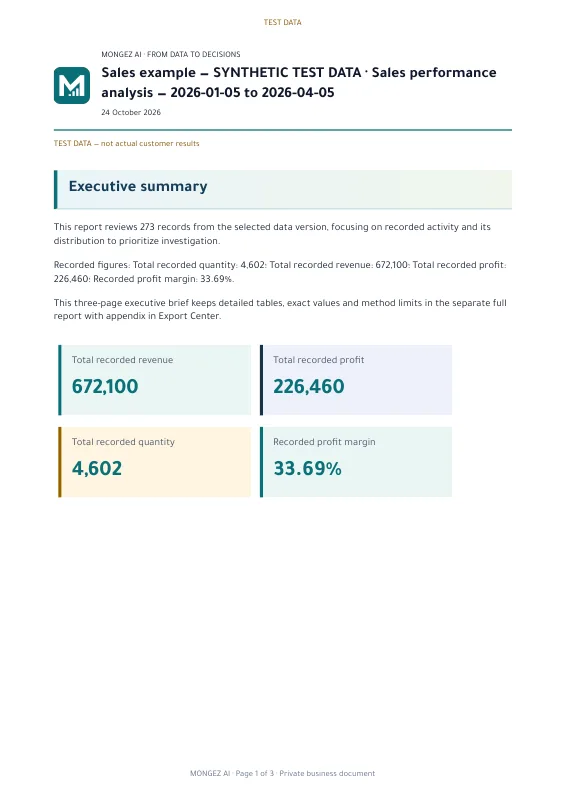
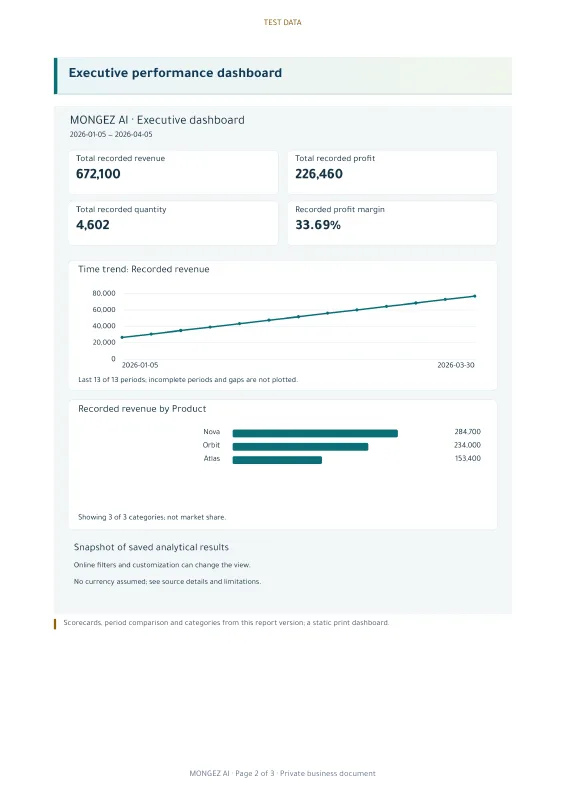
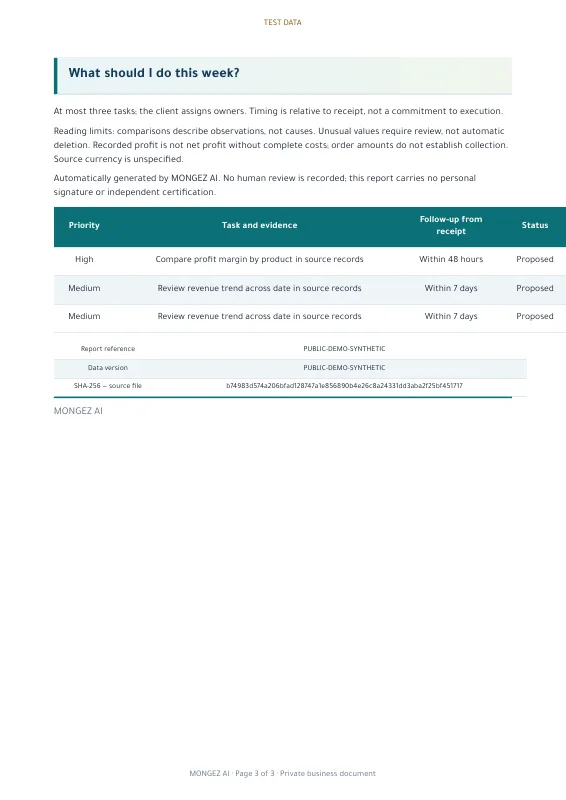
A CLEARER DATA WORKFLOW
Connected steps, in one workspace.
Start a project and upload CSV or Excel. Keep the original while you work.
Review data quality, then explore indicators, comparisons and calculation evidence.
Create an executive summary or full report, in Arabic or English, as Word or PDF.
CLARITY YOU CAN CHECK
Know which version was used and what was calculated, with clear limits on what the data can establish.
See how Mongez worksAvailable methods and the final amount are shown in your account before confirmation. Availability may vary by currency and payment provider.
Create your account, verify your email and try one analysis up to 500 rows for free.
Files are tied to your account with server-side access checks. Core calculations run within the service; an external language provider is optional. Review security and privacy for protection and processing limitations.
You can delete files and projects in your workspace and manage account deletion through privacy settings. Review the privacy policy for retention and backups.
No. Reports explain figures, limitations and follow-up actions. You confirm the meaning of amounts and order statuses.
CSV and XLSX are supported within published limits. Review the column preview and confirm revenue, cost and currency meanings; some analyses require additional columns.
An interactive, explicitly synthetic sample with product/status filters and downloadable source evidence.
Try the report preview